
Features
What Kilometra does
From the first metre to the tax PDF. And what comes next.

All features
It's all in there.
Tax
- 26 cantons
- ESTV-compliant
- Verification code
- Change log
- Flat rate or actual
- Private without address
Record
- Bluetooth
- CarPlay
- OBD plug
- Lock screen
- Gap alert
Categorise
- One tap
- Calendar
- Swipe
- Commercial register
- Passenger trips
Accounting
- Bexio
- Abacus
- Banana
- Accountant
- Receipts
- CO2 report
Vehicles
- Several cars
- Leasing km
- Service
- Odometer photo
Everywhere
- iPhone
- CarPlay
- Web
- iPhone Duo
- 4 languages
The solution
From GPS to the tax office — in one step.
Recorded as soon as you set off
- With the shortcut, to the second: the trip starts when your iPhone connects to the car via Bluetooth or CarPlay, even when locked. Setup takes about a minute.
- With the OBD plug it starts with the ignition and the mileage comes from the odometer.
- Without either, Kilometra detects trips from motion and GPS, but less precisely: the start is often late, and stops can split a trip.
Business or private? One tap
- In CarPlay before you even get out, otherwise on the lock screen or via a notification.
- If a calendar appointment matches or it's the return trip, the app suggests the category. Unusual trips are marked in red.
- A wrong tap on private can be undone for 24 hours.
Kilometres that add up
- Kilometra matches your trips to the road network so corners aren't cut. With weak GPS reception, a trip can be slightly off.
- Photograph the odometer at the turn of the year and the app shows if kilometres are missing.
- With a lease, it warns you in time if the km limit won't be enough.
Ready for the tax office
- Logbook PDF according to the Swiss Federal Tax Administration for all 26 cantons, every correction logged. For ZH, BE, AG, SG, ZG, GE, VD and BS with the tax office's address in the letterhead.
- Flat rate or actual costs: the app calculates both methods with your numbers.
- The PDF can go straight to your accountant, or they see your trips themselves, free of charge.
Expenses and accounting
- With your own car: the month's mileage allowance as a PDF for your employer, with receipt photos.
- Trips per client as PDF or CSV, for re-billing.
- As an add-on, Kilometra books into Bexio, Banana and Abacus.
Your data stays yours
- Private trips are stored without start and destination addresses. The tax office only sees what it needs to see.
- Servers and database in the EU (Frankfurt), road matching in Switzerland. Your trips don't go to the US.
- No ad trackers, no third-party analytics.
Accounting add-on
Books straight into Bexio, Banana and Abacus
For self-employed people with a company car and their accountants. CHF 39 per year, on top of Pro.
-
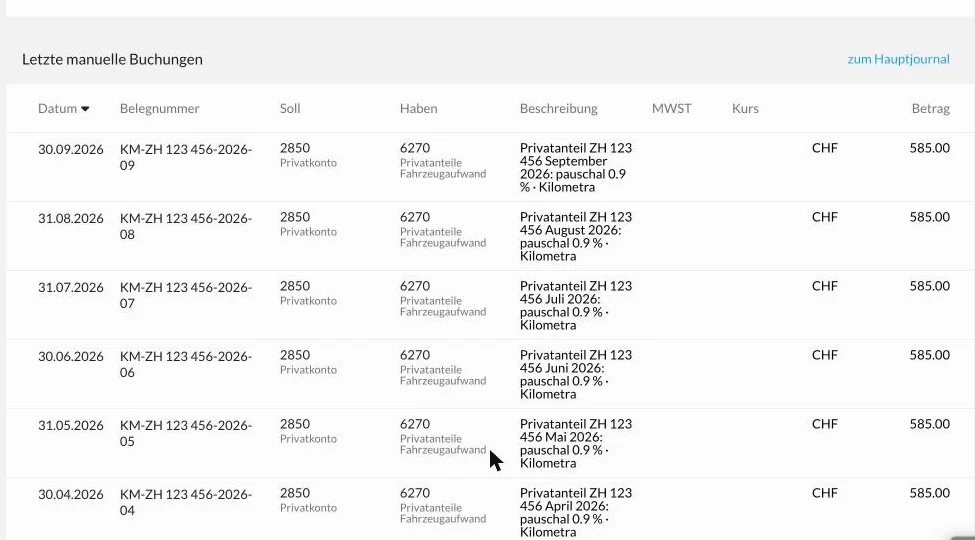
Private share booked
Every month Kilometra books the private share of the company car into the journal.
-
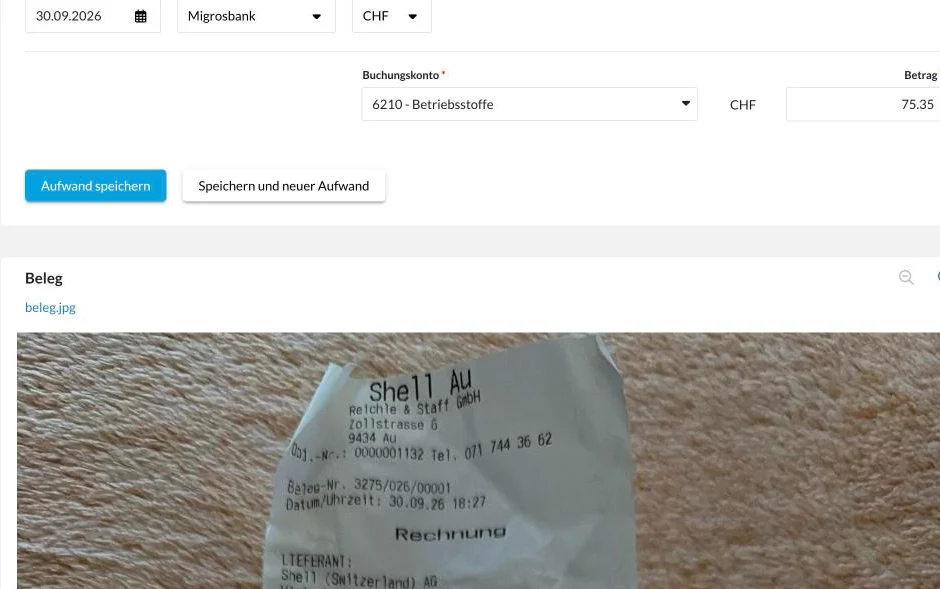
Receipt as expense
Photograph the fuel or charging receipt: the expense is in Bexio with photo, amount and account.
-
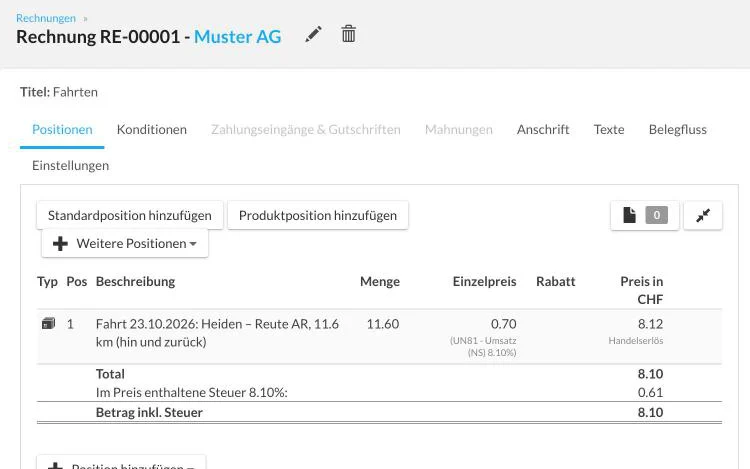
Trip on the invoice
Business trips go onto your client's invoice with kilometres and rate.
Banana gets a ready-made booking file. With Abacus, your employees' mileage expenses are added too, as a pilot.
Screenshots from Bexio, sample data.
The problem
Flat rate 10.8 % a year, or: paying too much tax.
If you're self-employed and drive a company car, you have two options: the flat-rate method (0.9 % of the purchase price per month as private share) or the actual-cost method with a complete mileage log.
The flat rate is convenient — and in many cases several hundred to over a thousand francs per year too expensive. But keeping a real mileage log is too much effort for most people.
Kilometra is the app that reduces this effort to zero.
iPhone Duo
Unfolded, split exactly at the fold
In landscape, every page is split in two: list or inputs on the left, details on the right, nothing in the fold. Folded, everything stays as you know it.
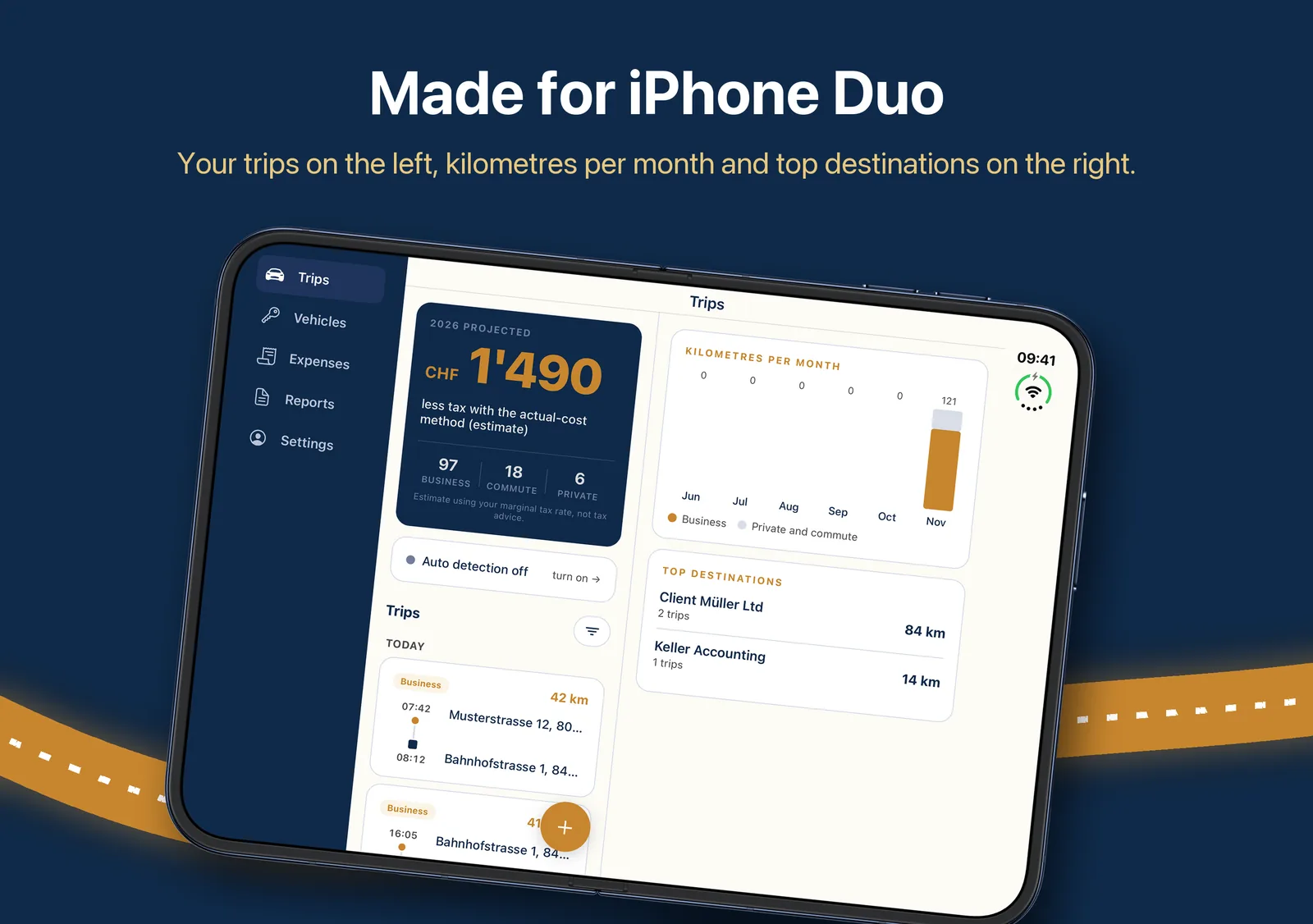
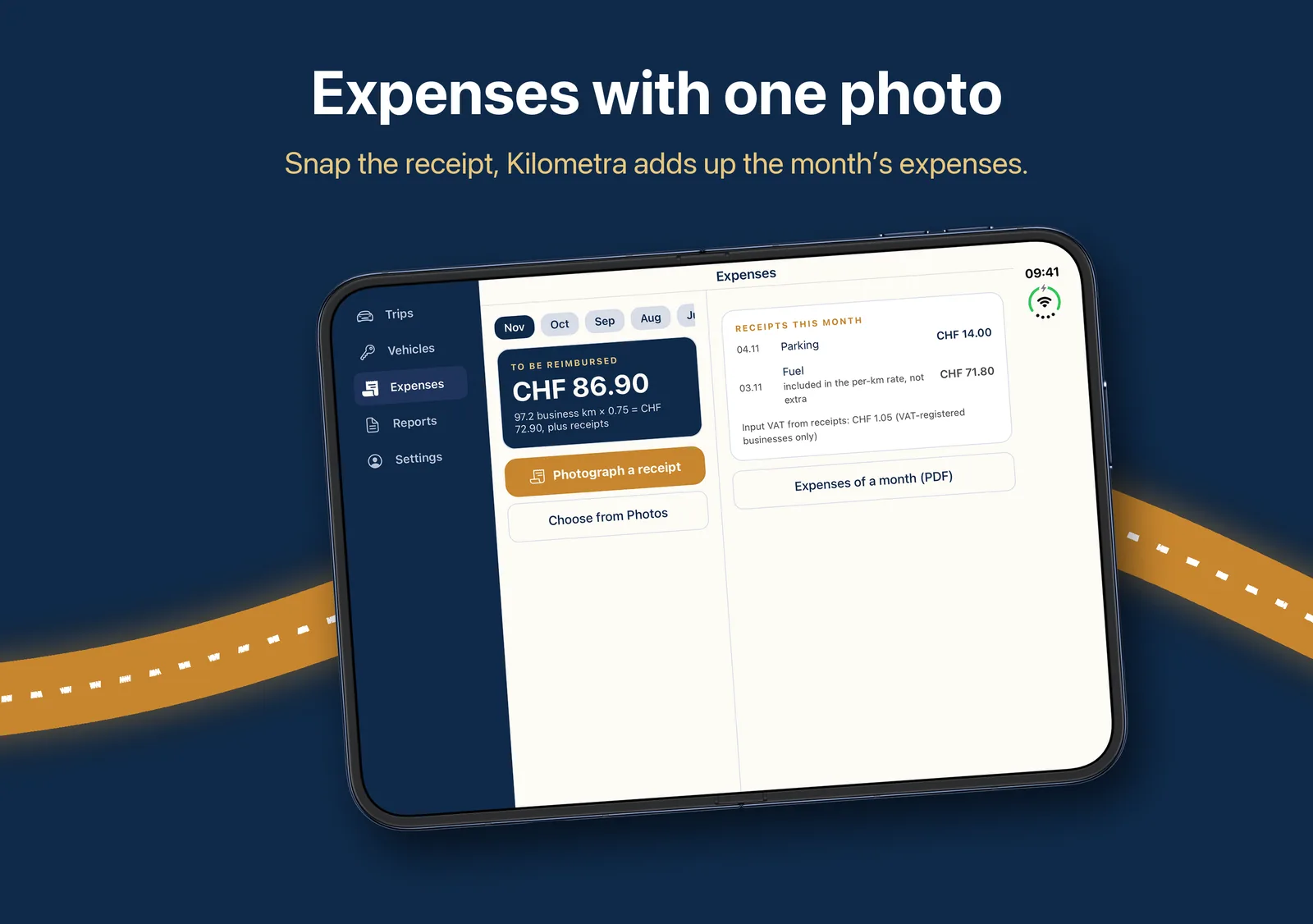
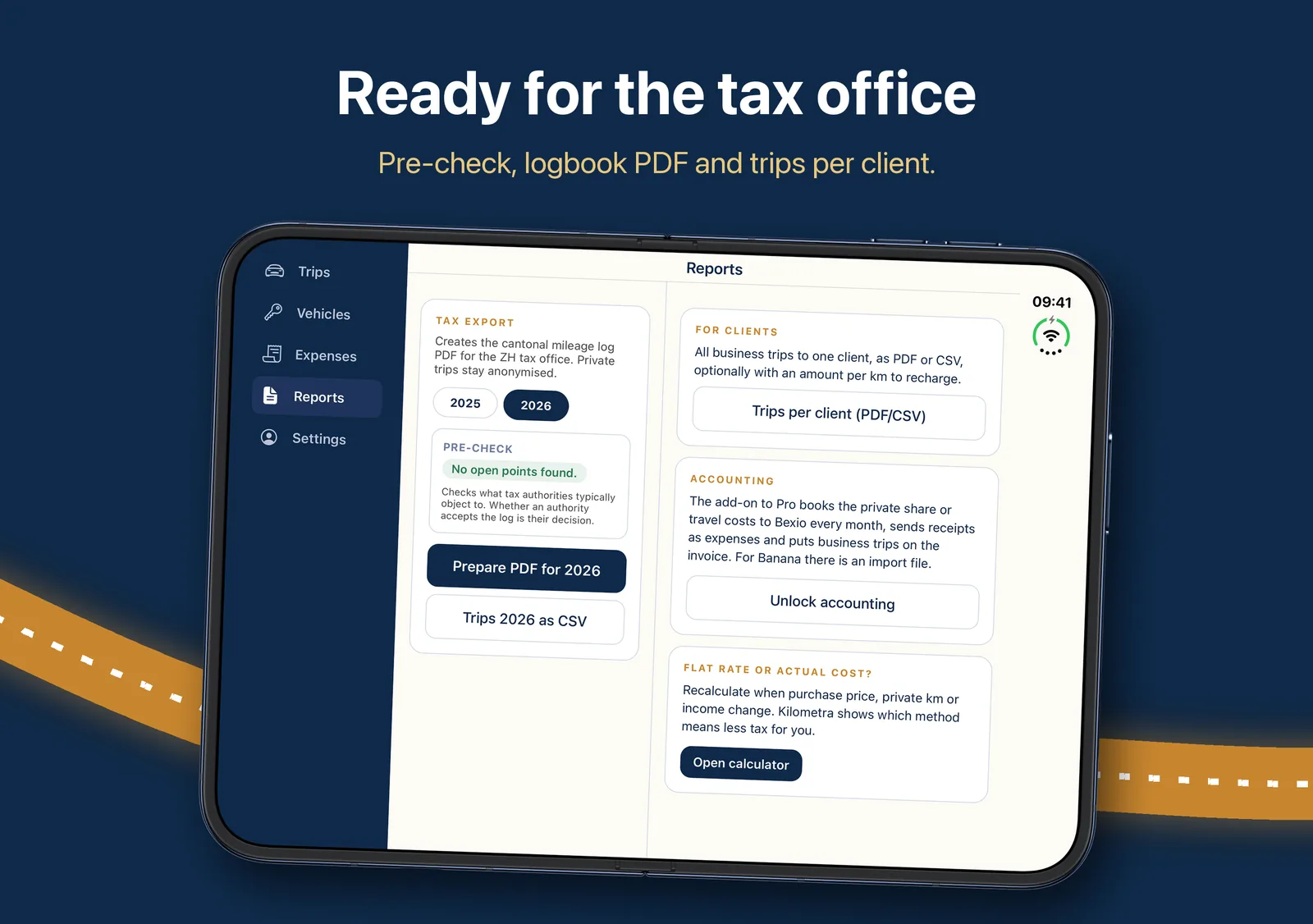
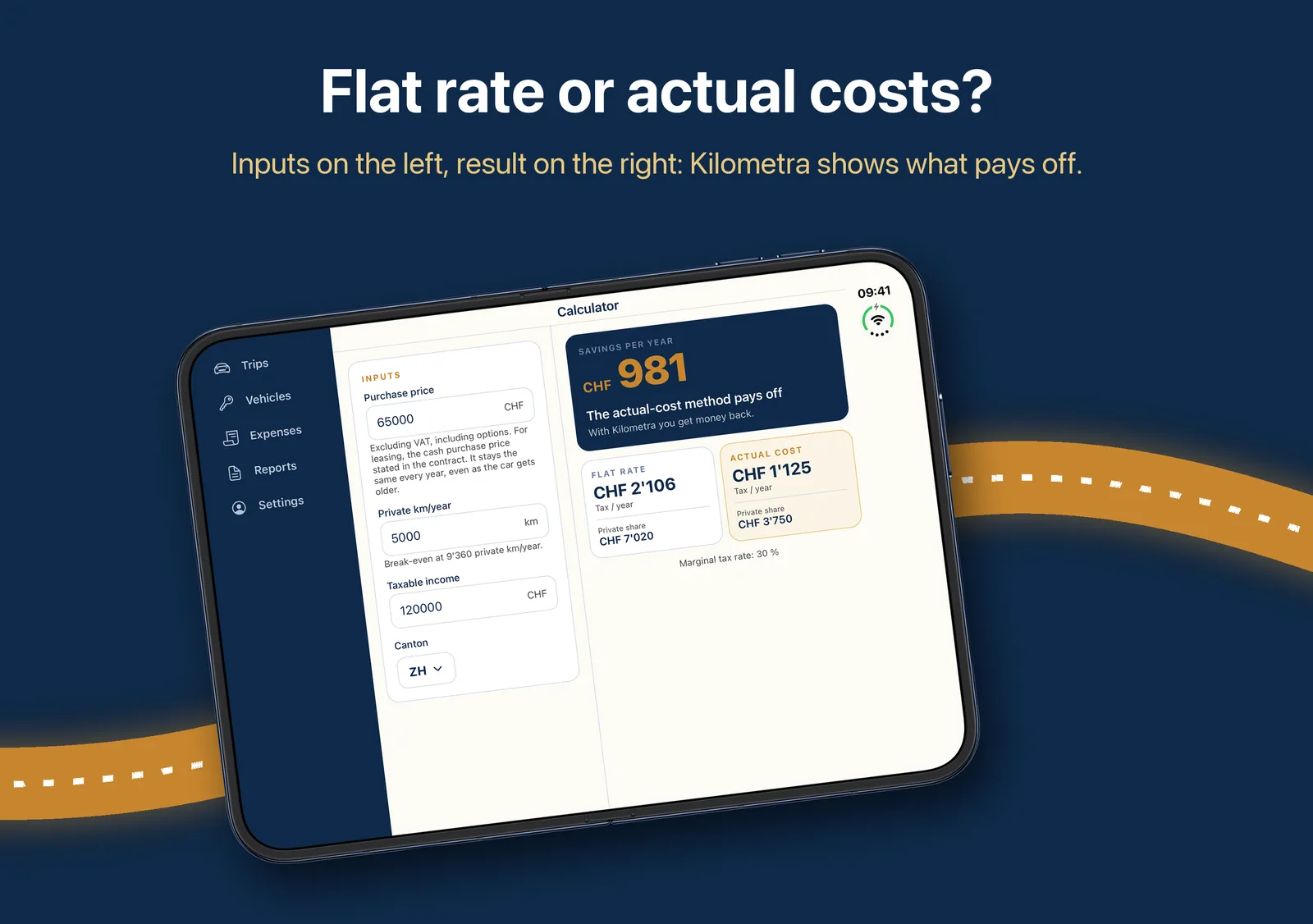
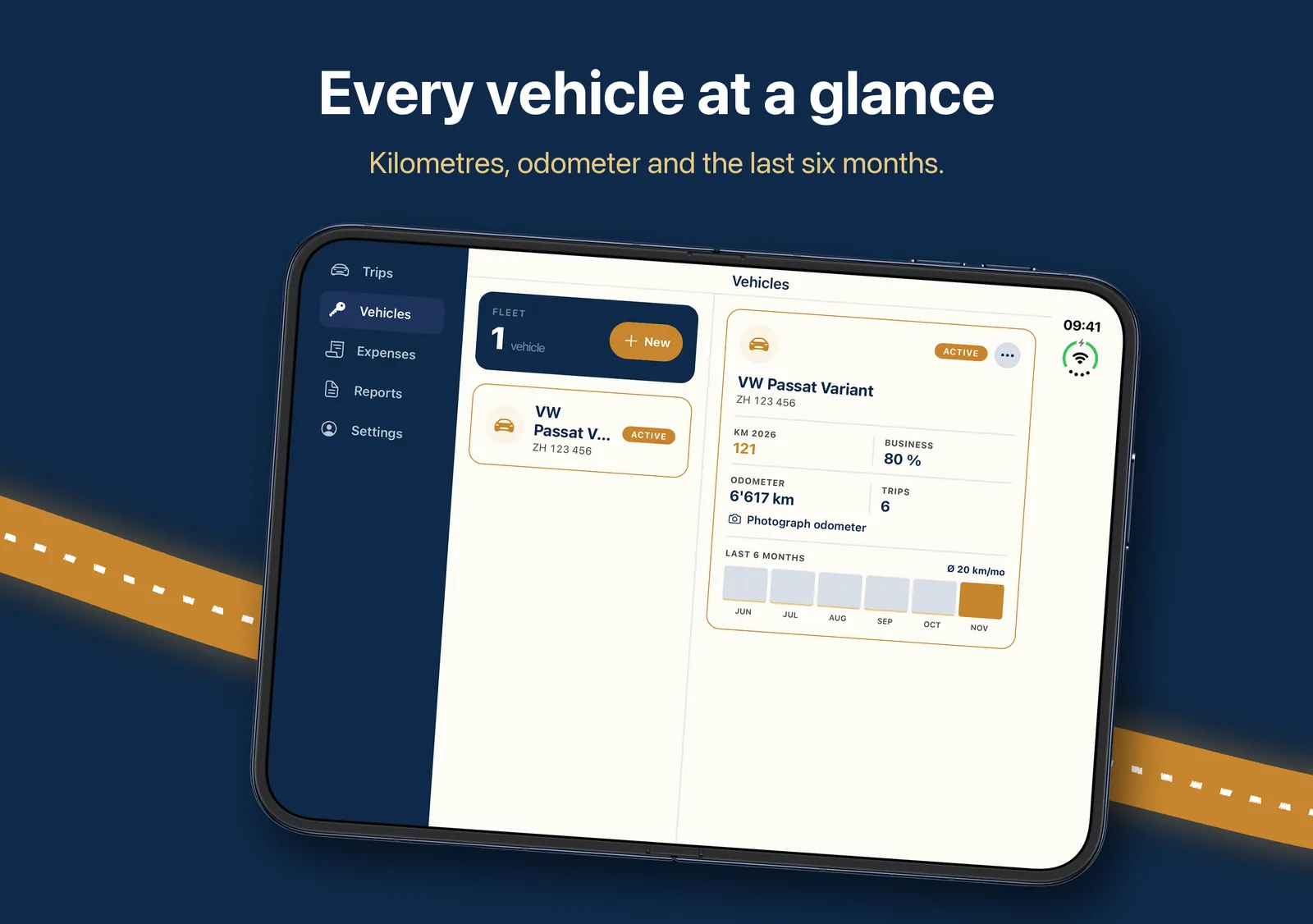
From version 1.3.1. Sample data. Swipe for more images.
In your browser too
Your mileage log on the computer
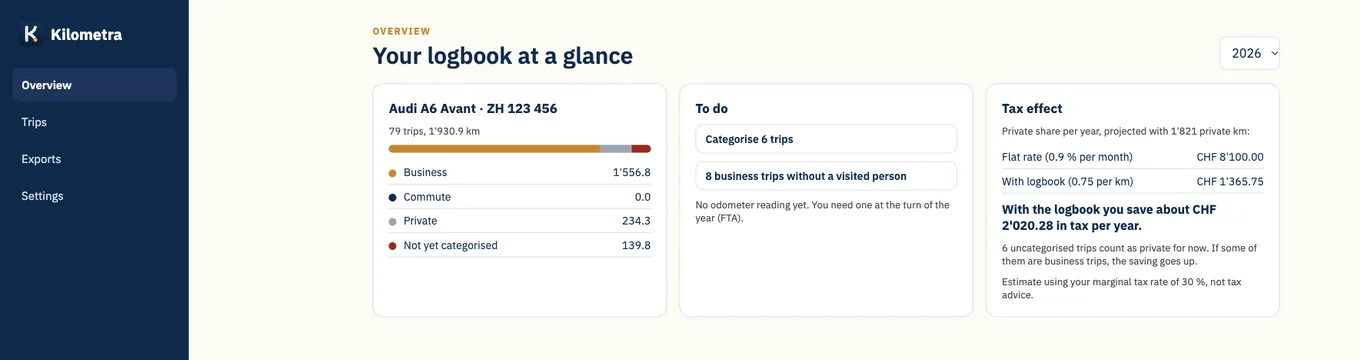
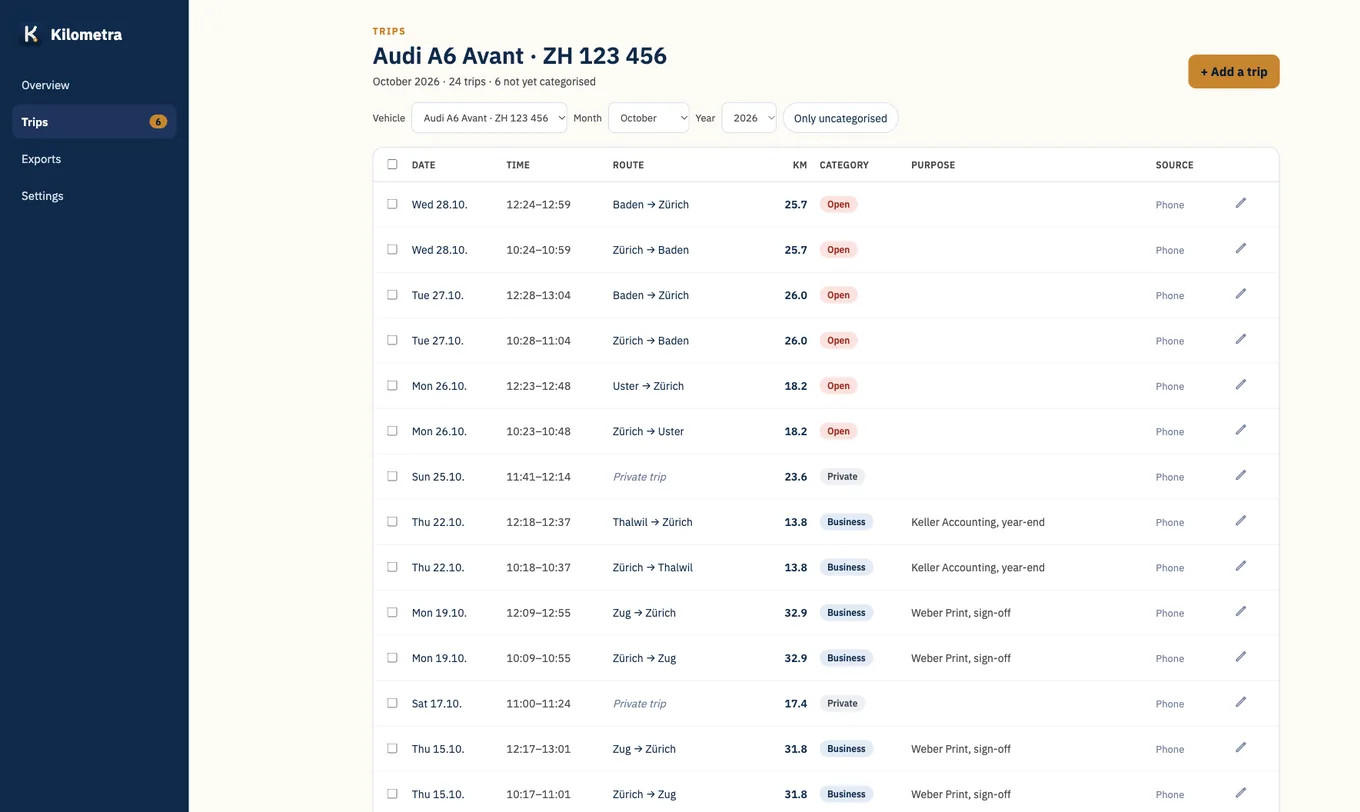
At app.kilometra.ch you see all your trips on the big screen, categorise them, add forgotten ones and download the tax PDF. Plus trips per customer to attach to your invoice and a CO2 report. With the same account as in the app.
New and coming soon
What's new and what we're working on
Plans come without dates, we don't promise anything that isn't finished yet. Got a wish? Write to me at gregor@kilometra.ch.
In the app now
-
Accounting with Bexio, Banana and Abacus
Book the private share of your company car automatically every month, file receipts as expenses and put business trips straight onto the client's Bexio invoice. Banana gets a ready-made booking file. With Abacus, your employees' mileage expenses are added too; we set up Abacus with you as a pilot. As an add-on to Pro.
-
Expenses and receipts
Under «Expenses» you photograph receipts for parking, fuel or charging, see the month's expenses and create the expenses PDF with the receipt photos. For a private car, Kilometra only counts what is not already covered by the per-km rate.
-
OBD plug
With a Bluetooth plug in the diagnostic port, the trip starts with the ignition and the mileage comes straight from the odometer. Tested with Audi, should also work with VW, Škoda, Seat and Cupra. We keep testing with other makes.
How the OBD plug works -
Photograph the vehicle registration
Take a photo of the registration document and Kilometra fills in make, plate and first registration, and knows the car's CO2 value through the type approval.
Coming soon
-
GPS box for the car, also for Android Testing
A small box in the diagnostic port with its own GPS and SIM card records every trip including the odometer, without a phone. This makes Kilometra work for Android users, pool vehicles and company cars too. Trips are categorised in the web view. We are testing the first box right now.
-
Travel expenses and re-billing
Also record receipts without a car trip, such as hotel, meals, train or taxi, and re-bill the expenses with their receipts to the client: in «Trips per client» or on the Bexio invoice.
-
Kilometra on Apple Watch
See the trip in progress and open trips on your watch face, categorise trips with a tap on your wrist and dictate the purpose of a business trip. In field sales, confirm the visit at the client. We are testing it now.
-
For companies with several drivers
The company invites its drivers and sees business trips, private share and expenses per vehicle, with a monthly close for payroll. Private trips appear for the company only as a kilometre total, without locations.
Kilometra for companies: pilot -
Kilometra for Austria
Mileage log for electric company cars with the halved benefit-in-kind from 2027: monthly summary of private kilometres for payroll, PDF with the odometer for every trip, prices in euros.
Half benefit in kind: more on kilometra.at